












01
No way to find the right contact
A rep managing 50 to hundreds of accounts had no reliable way to identify which AWS rep covered the same territory, which accounts overlapped, or who had actually performed in that segment.

Sole designer. Owned everything from problem framing to dev handoff. Strategy, flows, wireframes, prototypes, and iterative testing with real users, daily. The founders knew the sales world inside out, I turned that knowledge into something people could actually use.
At the start of every year, software sales reps and AWS reps each get their account lists. Then comes the hard part: figuring out who on the other side is working the same accounts. There's no directory. No shared system. Reps dig through Salesforce and HubSpot, lean on whoever they met at the last dinner, and hope the timing works out.
A rep managing 50 to hundreds of accounts had no reliable way to identify which AWS rep covered the same territory, which accounts overlapped, or who had actually performed in that segment.
Every co-sell conversation started the same way. Export a CSV, email it across, match rows manually. By the time the overlap was found, the moment had usually passed.
When an AWS rep encountered an unfamiliar software company, there was no single place to understand their customers, their track record, or whether the partnership was worth pursuing. Trust was built slowly, informally, or not at all.
User interviews made one thing clear: Sales reps are smart about relationships and impatient about everything else. Every screen had to be immediately obvious.
PartnerIQ was built for the ISV AE. The AWS AE benefits from the system, but the primary unlock — visibility, intelligence, structure — was always on the ISV side.
Owns the co-sell relationship from the ISV side. Starts the year with an account list and spends the rest of it figuring out which AWS reps to partner with and which accounts to prioritise. CRM-trained, time-poor, skeptical of new tools unless they save real time.
Know who to reach out to on the AWS side. Understand account overlap fast. Get warnings before deals go cold.
No visibility into AWS rep activity. Account mapping requires manual effort. Deals stall and they find out too late.
Works their own account list, looking for ISV partners who can help move deals. Encounters dozens of ISVs, needs a fast, structured way to evaluate whether one is worth investing a relationship in. Benefits from PartnerIQ's shared surfaces, but the product was not built primarily around their workflow.
Identify ISV partners with account overlap. Understand the ISV's customer base and credibility. Coordinate without being onboarded to someone else's internal tool.
No single place to evaluate an ISV. Account mapping requires the ISV to send a spreadsheet. Collaboration happens over email with no shared record.
Reps have zero patience. Every pattern had to survive five seconds of real-world use before it earned a place in the product. This loop ran almost daily for the length of the project.
Every signal in PartnerIQ anchors to ICP (Ideal Customer Profile). The AI layer threads through the product. ICP Fit %, PTB scores, warnings, contact summaries, and the natural language chat agent all sit on top of the same intelligence backbone anchored to the ICP the rep defines on day one.
Every screen sits on top of one design system, built from scratch as Labra's first designer. That's why this case study has no wireframes. Once the system was created, using ready components for iterations was faster than wireframing from scratch.
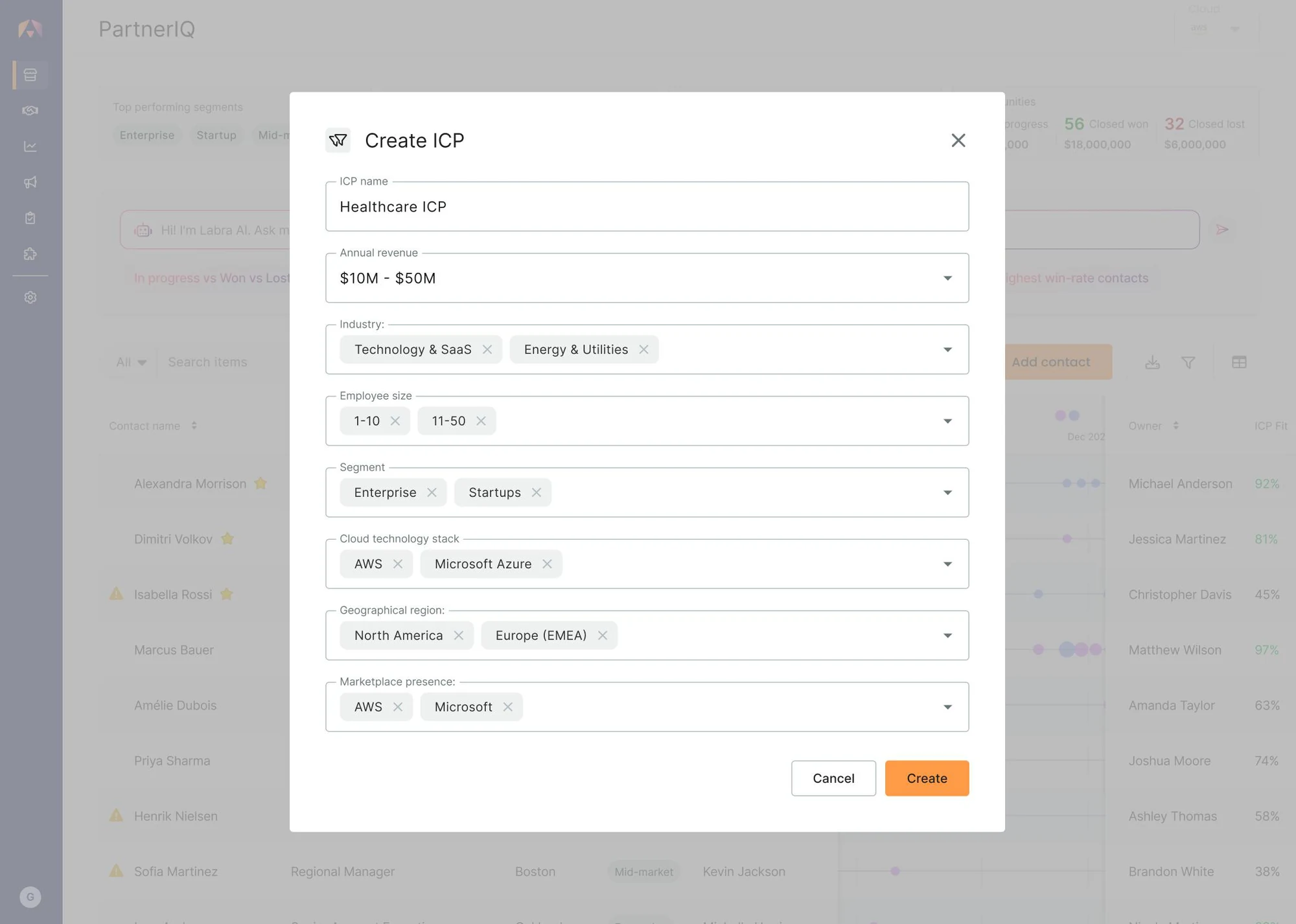
No "skip for now." Nothing in the product personalises until the rep has defined this.
Revenue, industry, employee size, segment, cloud stack, region, marketplace presence.
A rep can hold multiple industries or regions in one ICP. Real territories aren't single-tag.
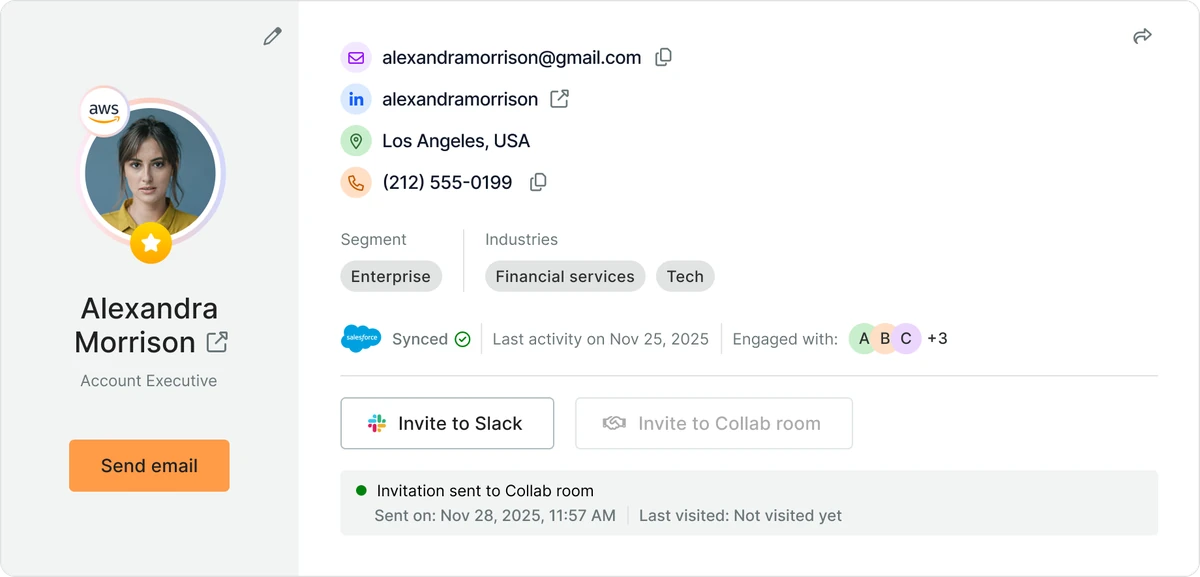
ICP Fit % shows up on every contact, list view, and AI summary after this point.
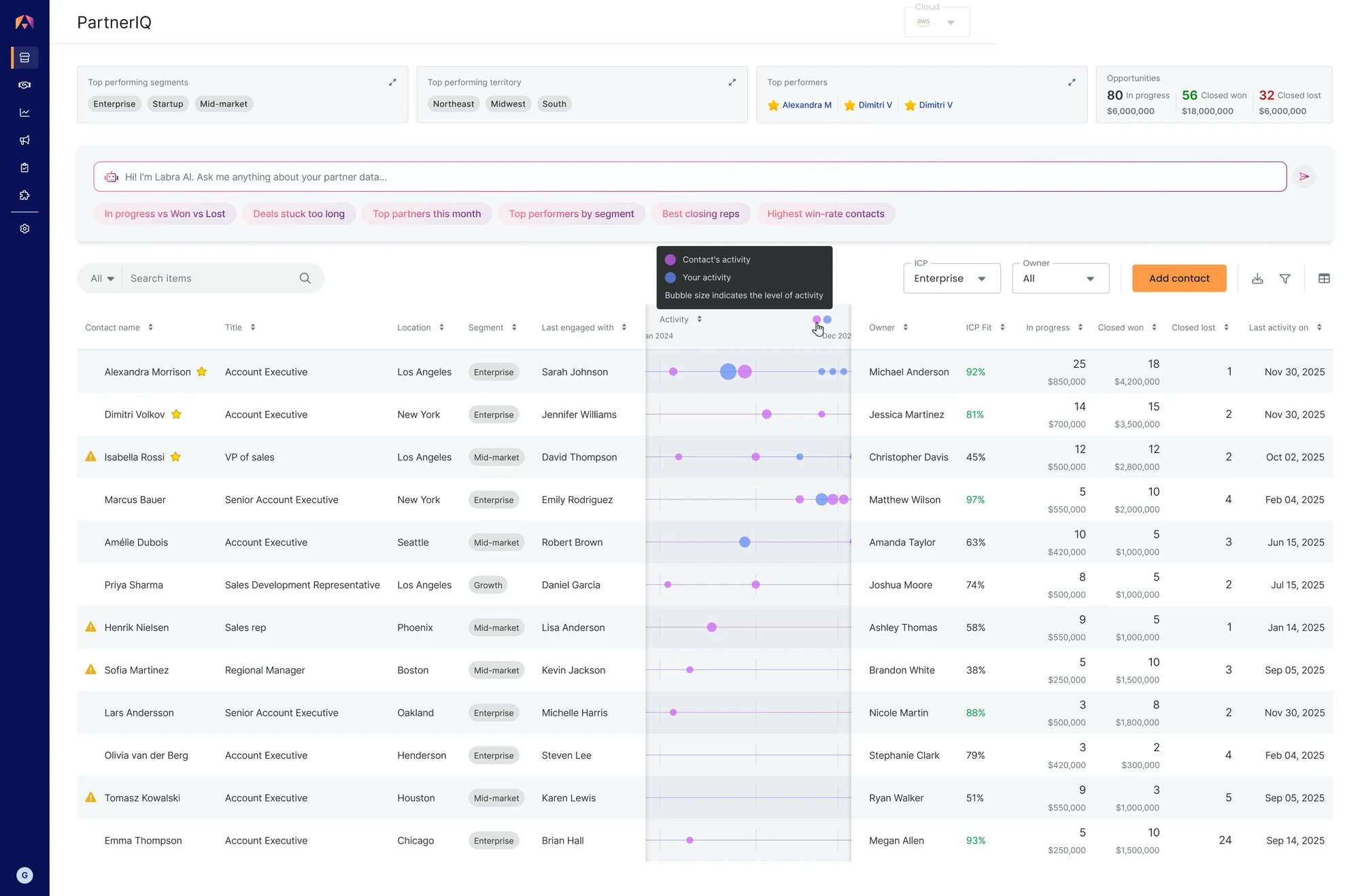
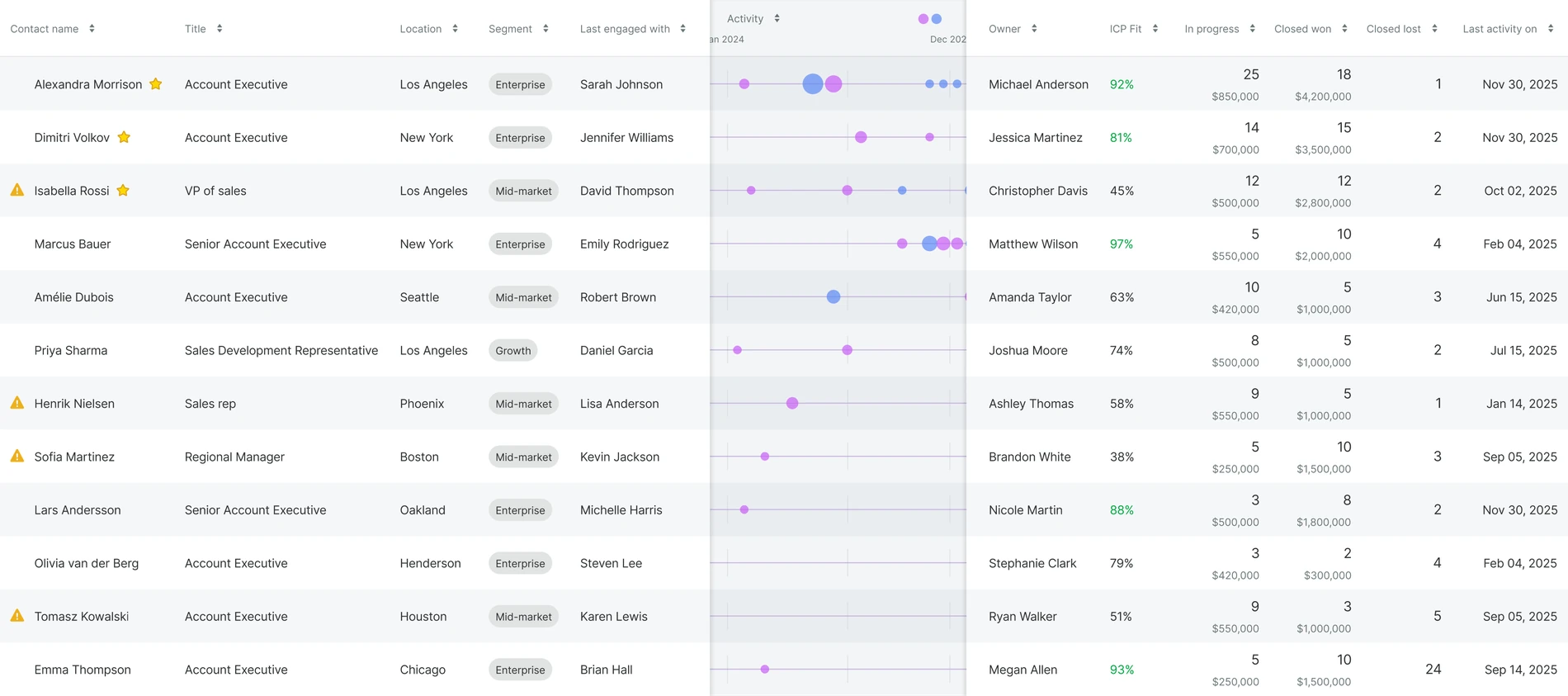
The rep's own definition, applied to every contact, visible without clicking.
Not behind a menu. The rep can ask questions about their pipeline in plain language.
Not a timestamp. Two tracks per row — contact's activity vs. rep's. Bubble size is engagement intensity.
Who's winning, where, in what segment. Context before the rep starts scanning their own list.
In progress (deals running), closed won (revenue acquired), closed lost (deals dropped). Pipeline state in one row.
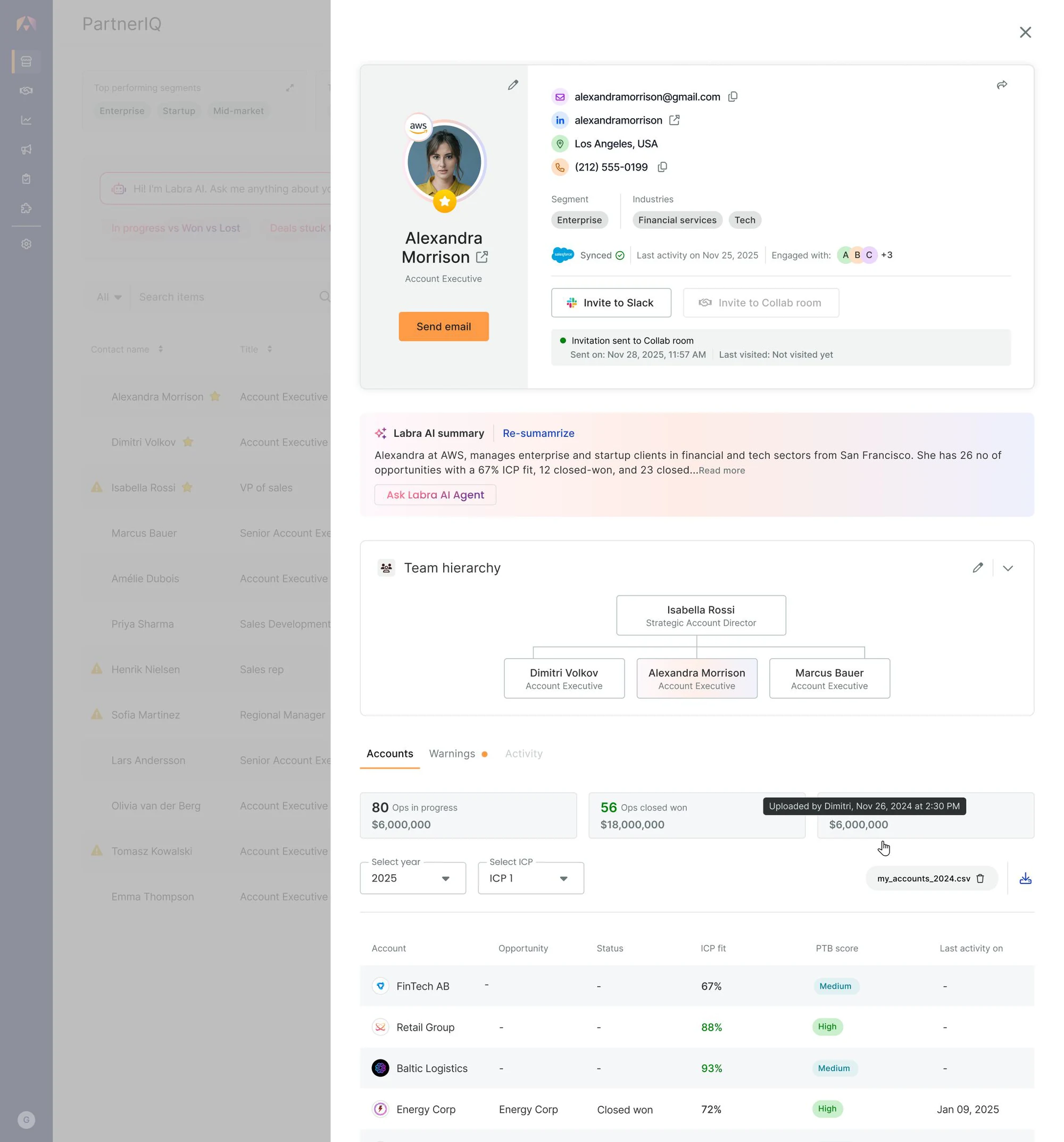
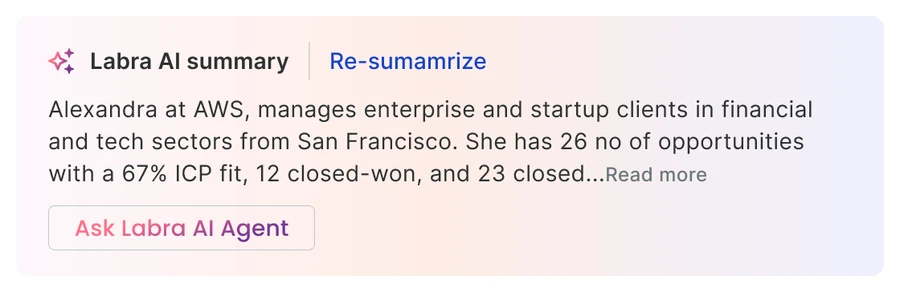
First thing the rep reads. Prose, not bullets. "Re-summarise" sits next to it because summaries go stale.
The rep sees who reports to whom before deciding who to engage.
ISV AEs work in Labra day-to-day, not in the Collab Room. The accounts they share with this contact — opportunities, status, ICP fit, PTB score — sit one click below the summary.
The chatbot exists, but it's a click away. The default view is a briefing, not a chat.
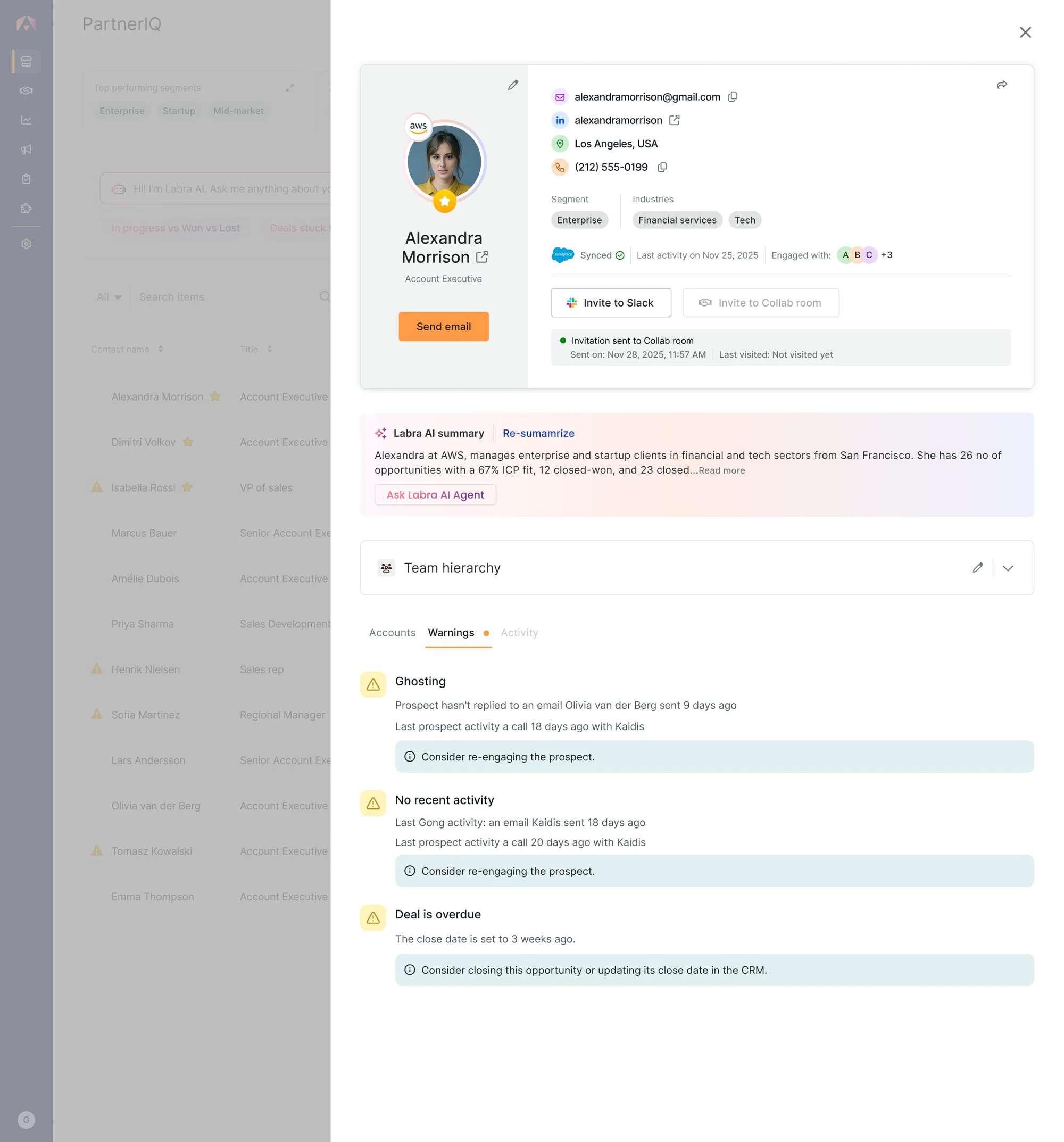
Same level as Accounts and Activity. Permanent destination. Buried warnings get checked too late.
Originally we thought of it as the last layer, below the accounts table. Watching real reps use the early version, we saw they were spending more time on warnings than expected. So we pulled it up.
"Ghosting" → "Consider re-engaging." "Deal overdue" → "Consider closing this opportunity." Tells the rep what's wrong and what to do.
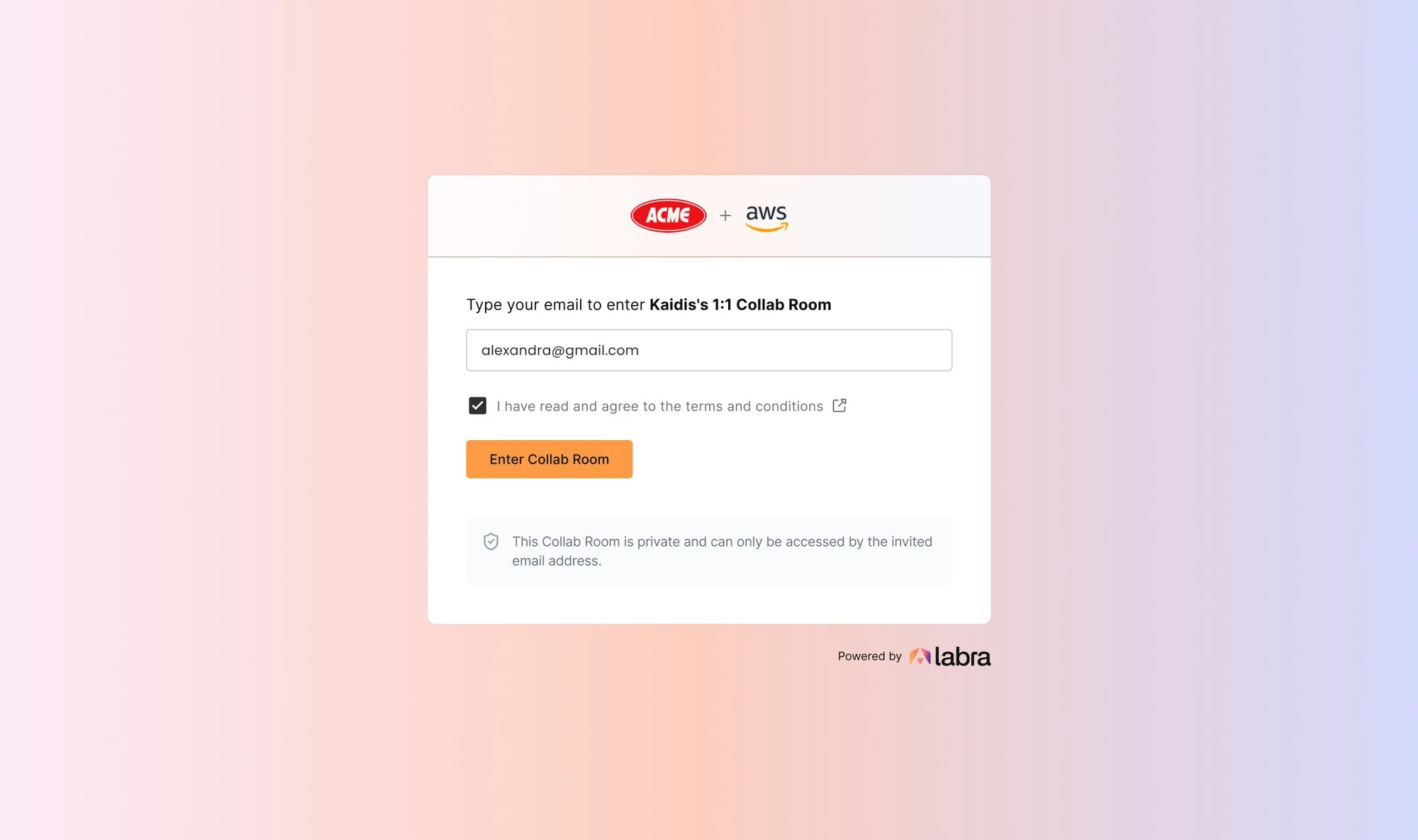
For an AWS rep evaluating an unfamiliar ISV, friction kills trust.
The header signals shared ownership between the partner and AWS. Labra is the infrastructure, not the brand in the foreground. The AWS rep enters a neutral space, not an ISV tool.
"This Collab Room is private and can only be accessed by the invited email address." Trust is stated, not implied.
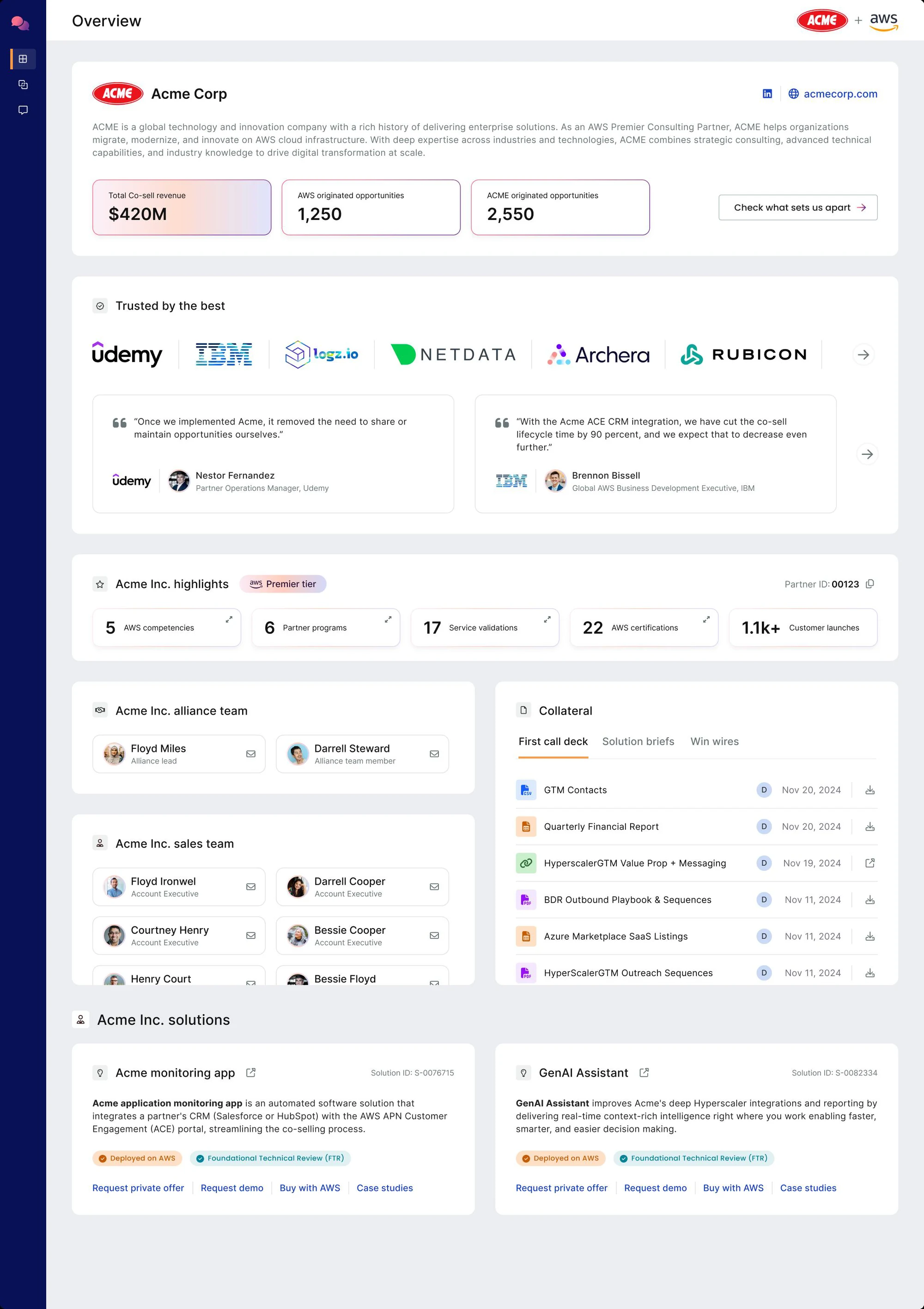
Customer logos, testimonials, certifications. The first thing the AWS rep sees is who already trusts this ISV.
$420M in co-sell revenue. AWS-originated and ACME-originated opportunities. The track record is the credential.
Real people, real roles. The AWS rep knows who to talk to and what they own.
Decks, briefs, playbooks. No "let me send that over" follow-up.
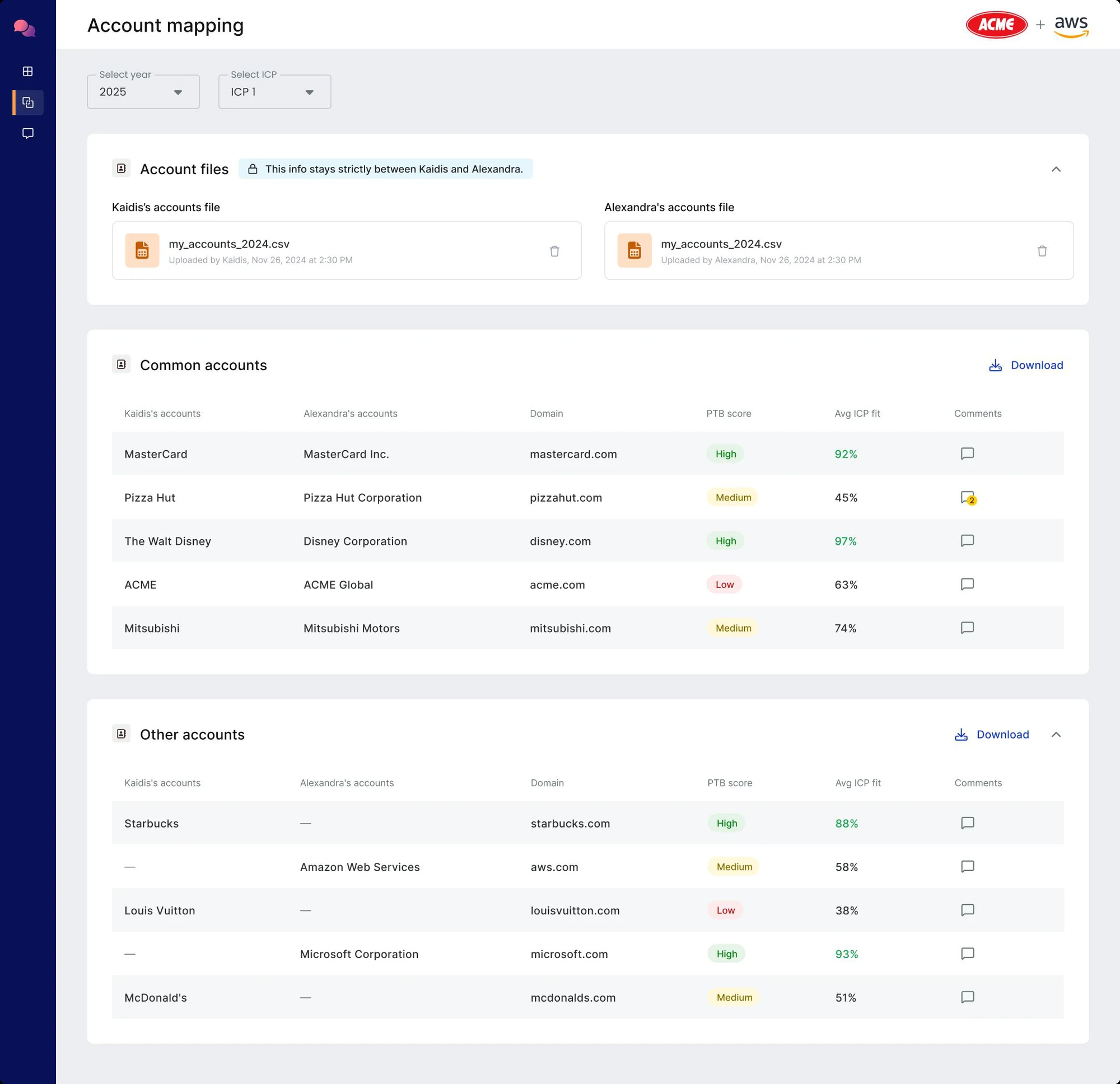
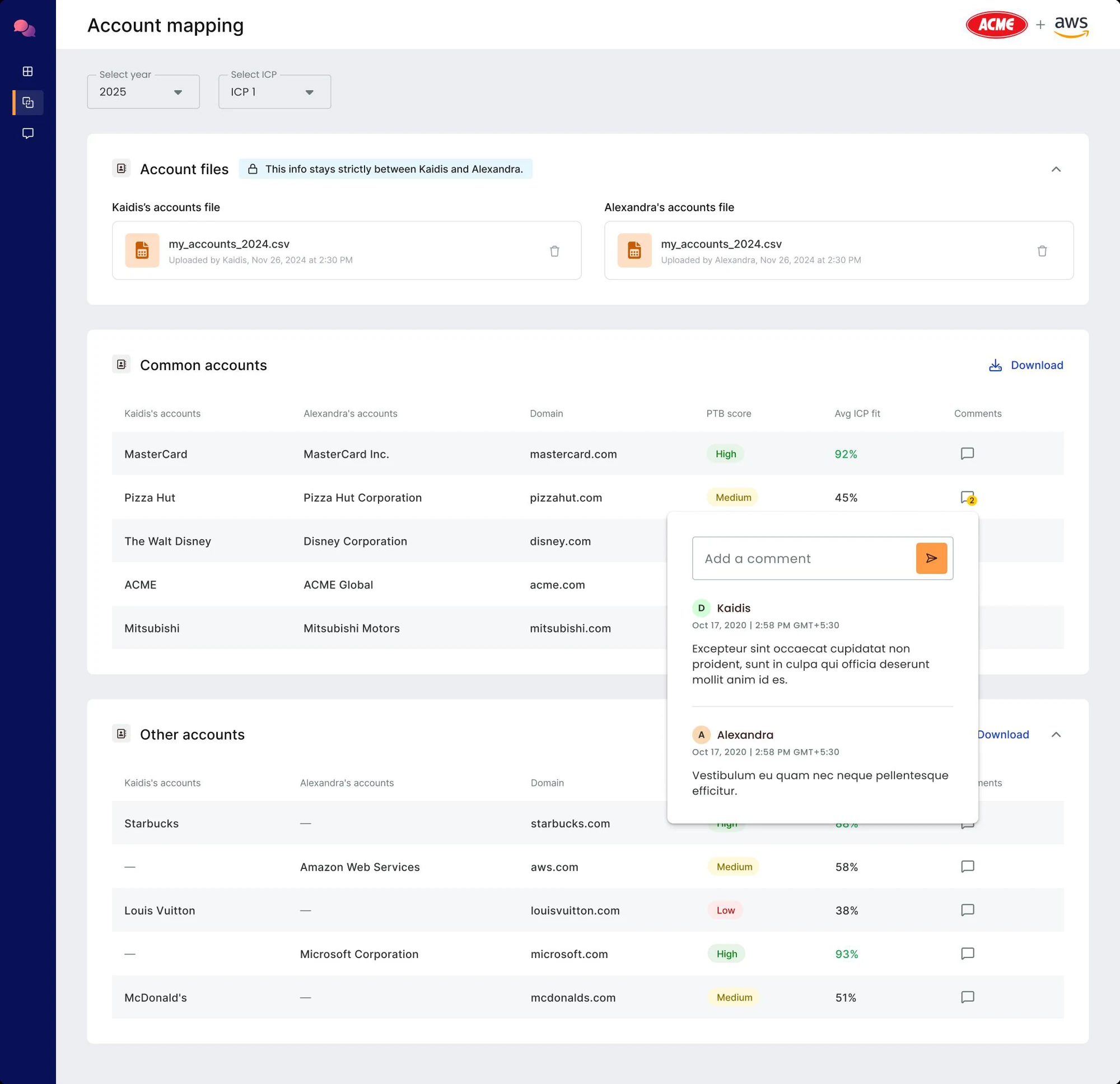
No one-sided visibility. No "send me yours first."
Overlap is called out, but the full territory stays in view.
Reps prioritise overlap by fit, not by alphabetical order.
The conversation lives on the row it's about. No context loss across threads.
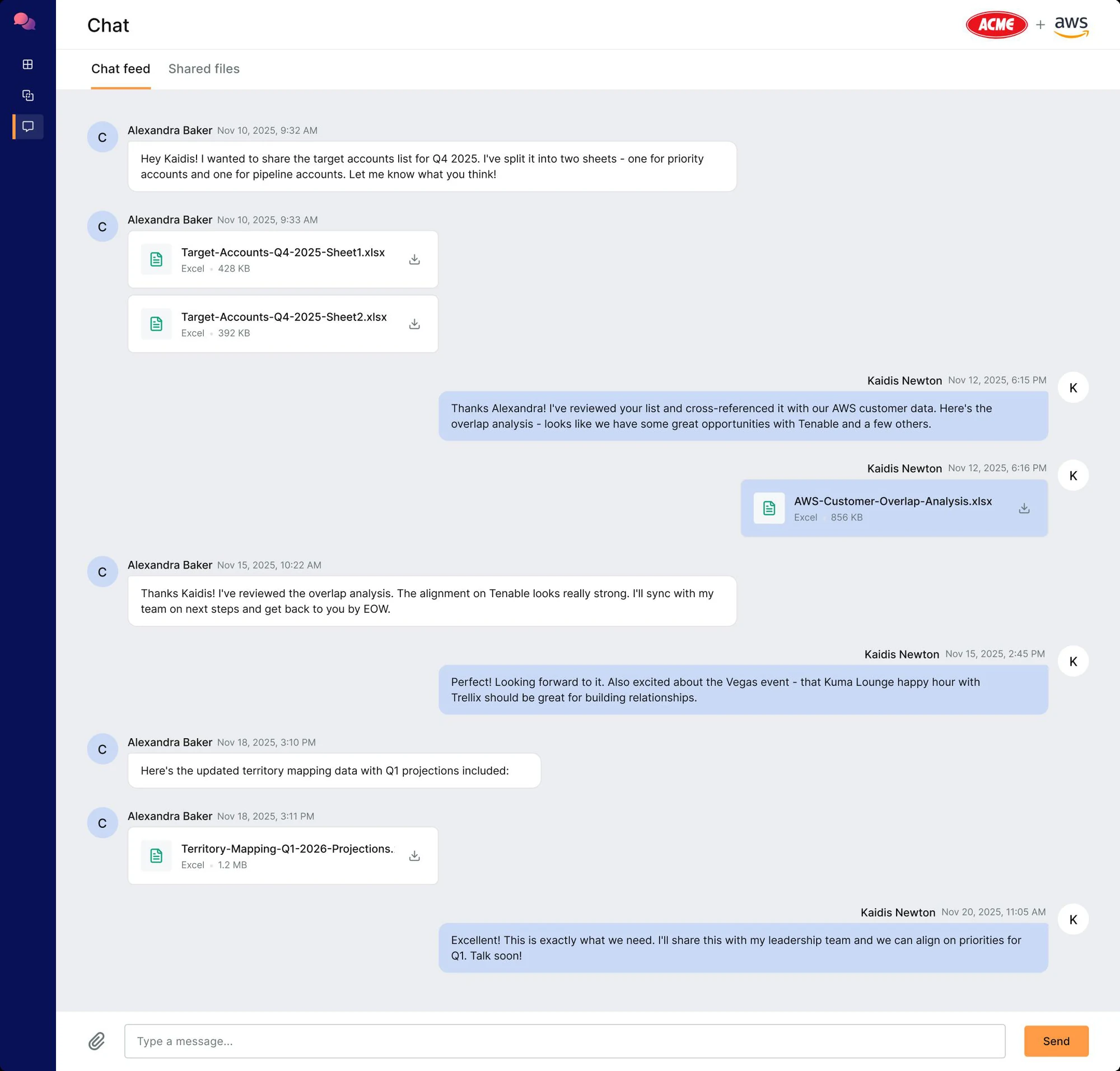
No platform-switching.
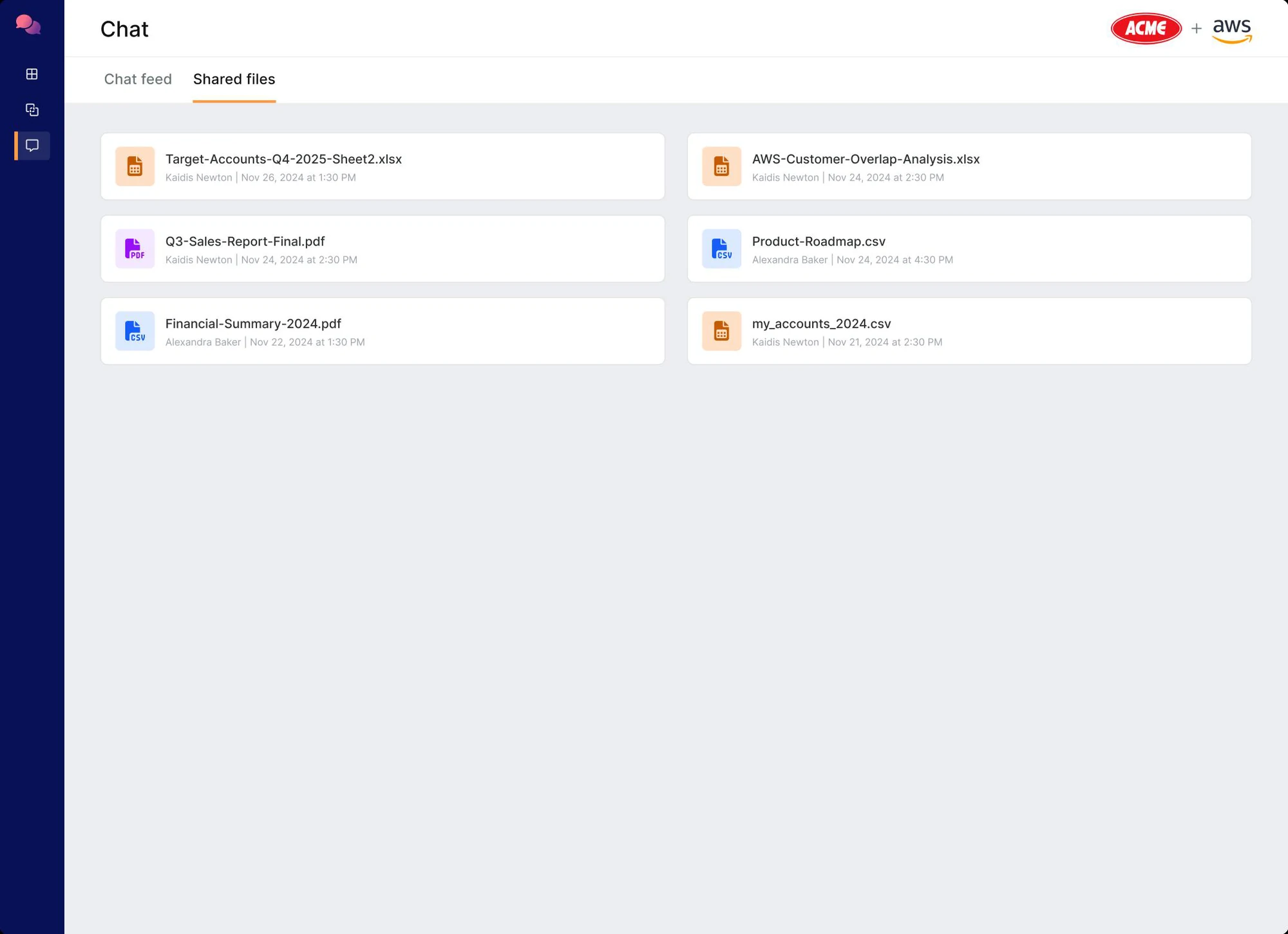
Decks, lists, reports surfaced in a single view.
The rep asks in plain language. The agent answers, and shows how it got there.
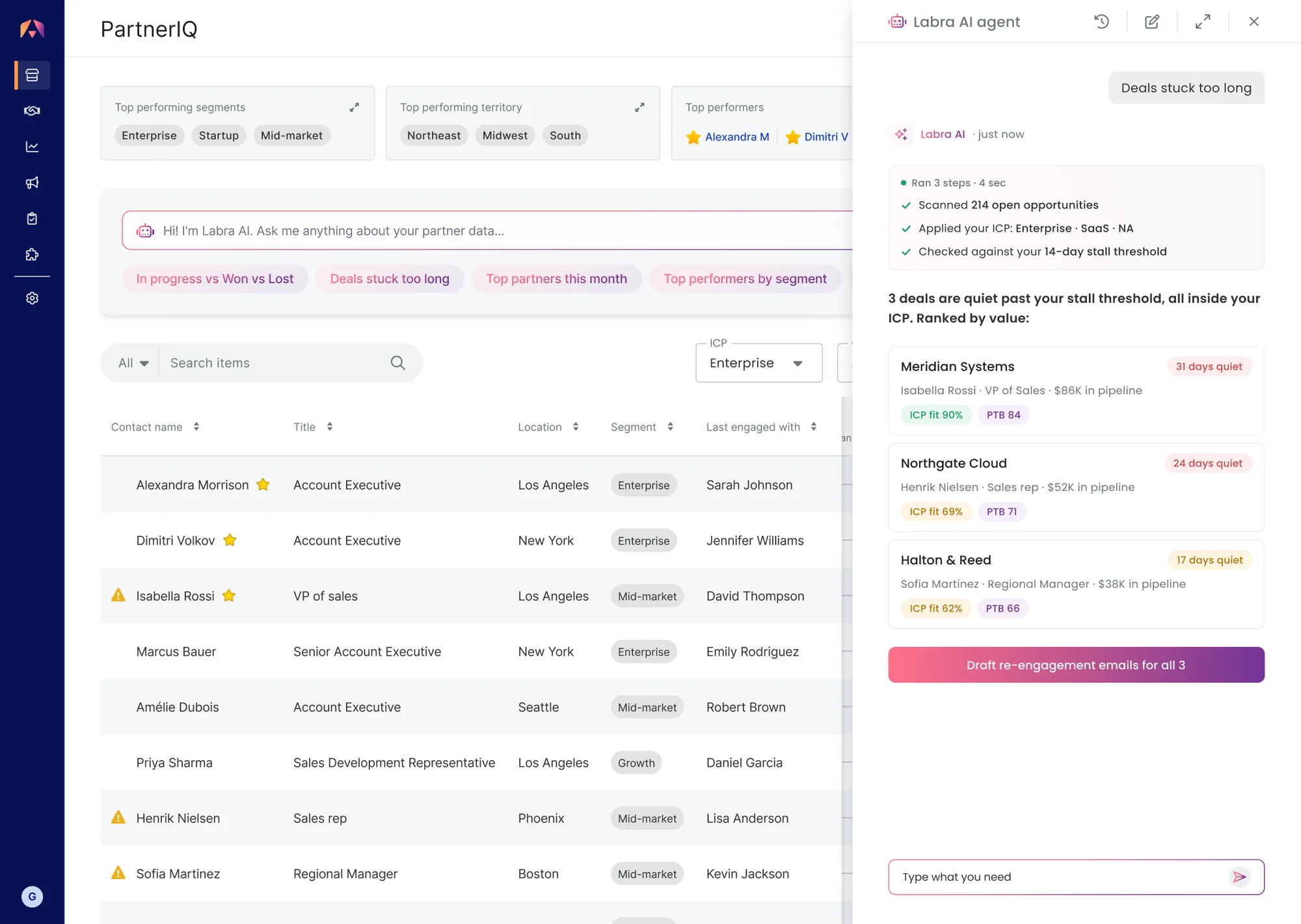
The trace shows what was scanned, which ICP was applied, and the threshold used. The rep can judge the answer before trusting it.
The answer comes back as ranked deal cards with ICP Fit and PTB on every row. Reps scan, they don't read.
"Stuck" isn't the model's opinion. The rep's own threshold and ICP decide what the agent looks for.
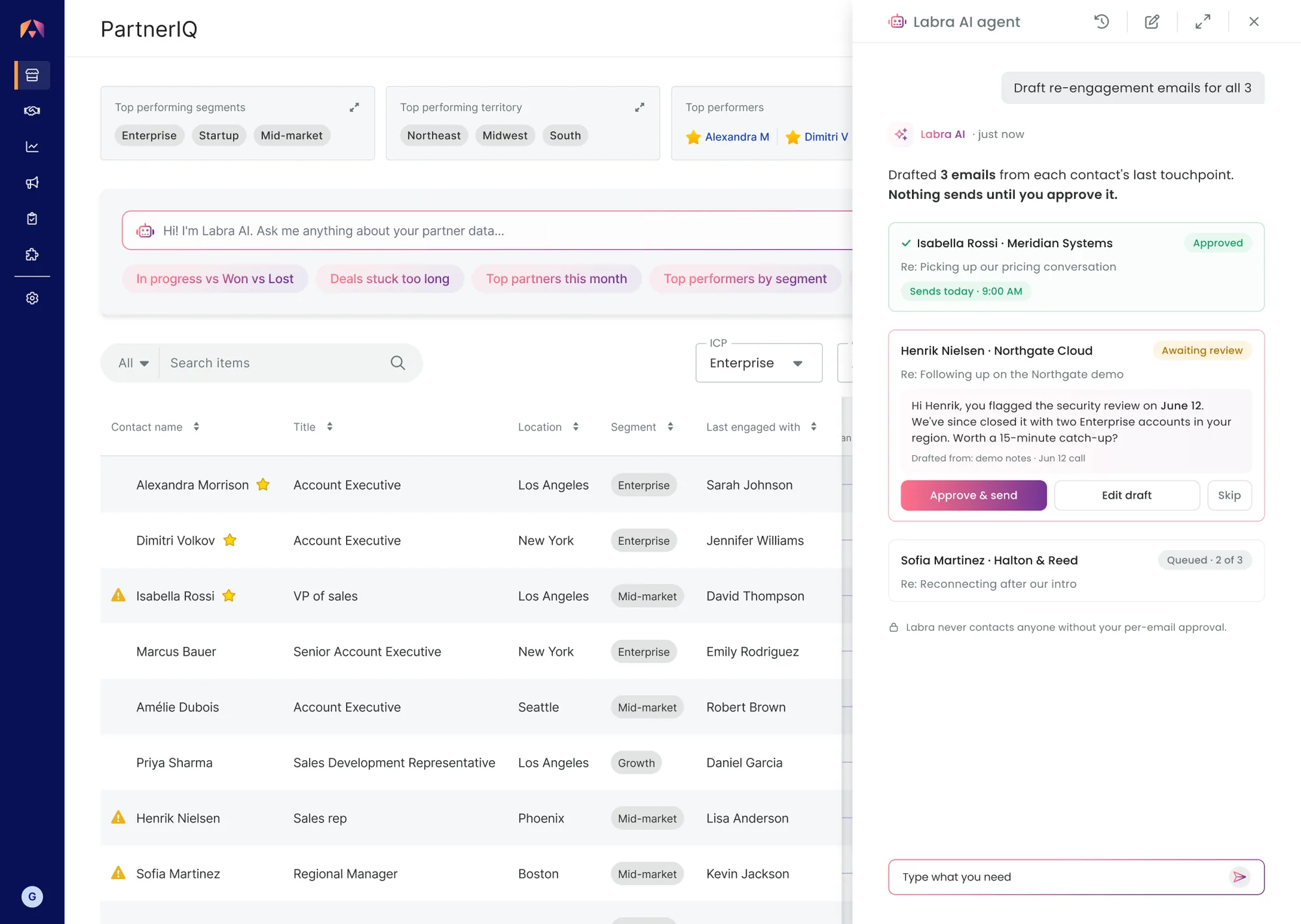
Approve, edit, or skip each draft. No "send all."
"Drafted from: demo notes · Jun 12 call." The rep sees what the message is based on before their name goes on it.
"Nothing sends until you approve it." Trust is stated, not implied.
Rejected drafts aren't saved or retried. The no is final, which makes the yes mean something.
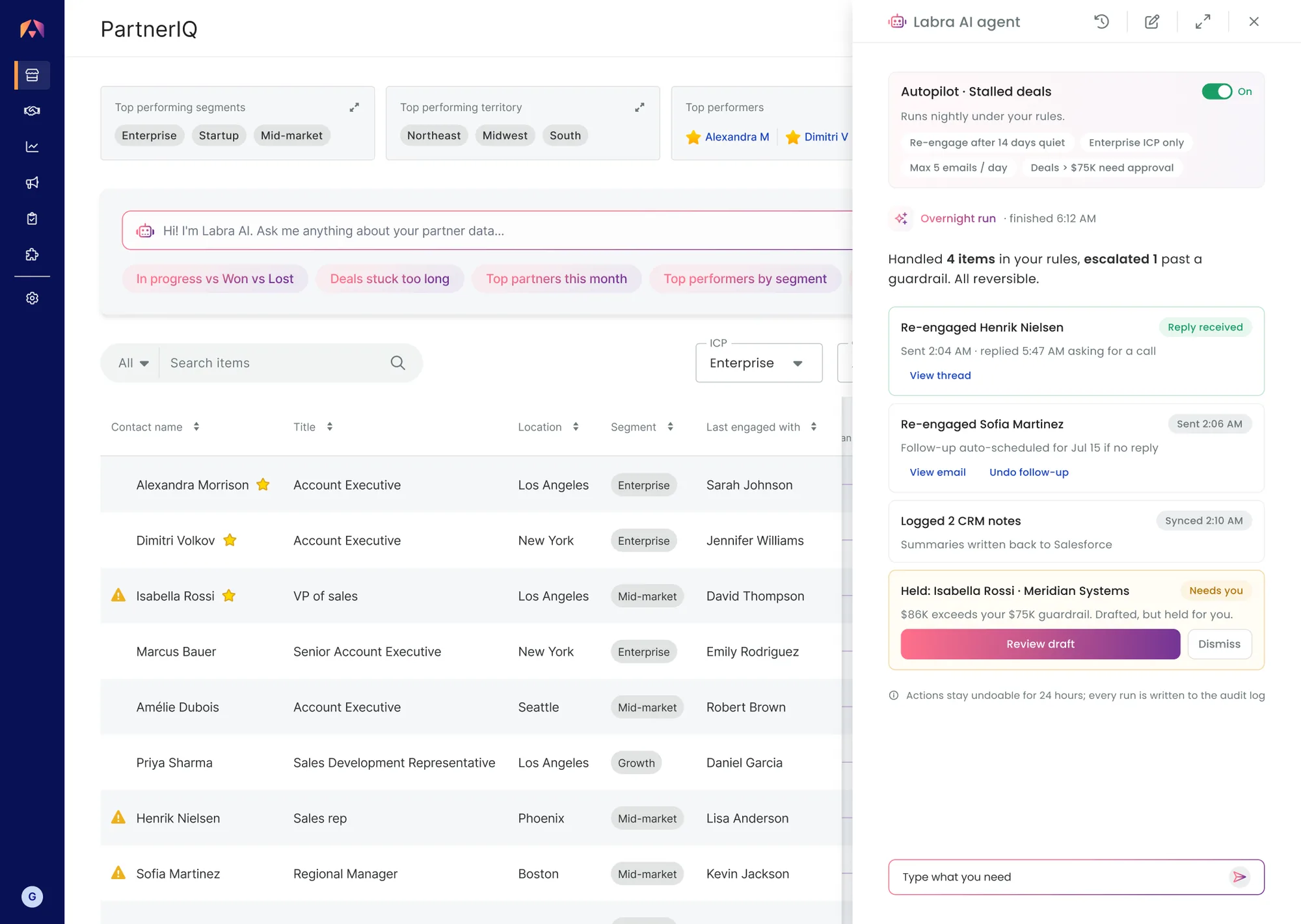
Stall threshold, ICP scope, daily cap, deal-size ceiling. The agent only moves inside them.
Timestamps on every action, undo for 24 hours, all of it in the audit log.
The $86K deal crossed the $75K ceiling, so Autopilot drafted the email and held it for the rep.
A reply came in at 5:47 AM while the rep slept. But only where the rep said it could.
Reps overtrust confident AI. This screen is built to be argued with.
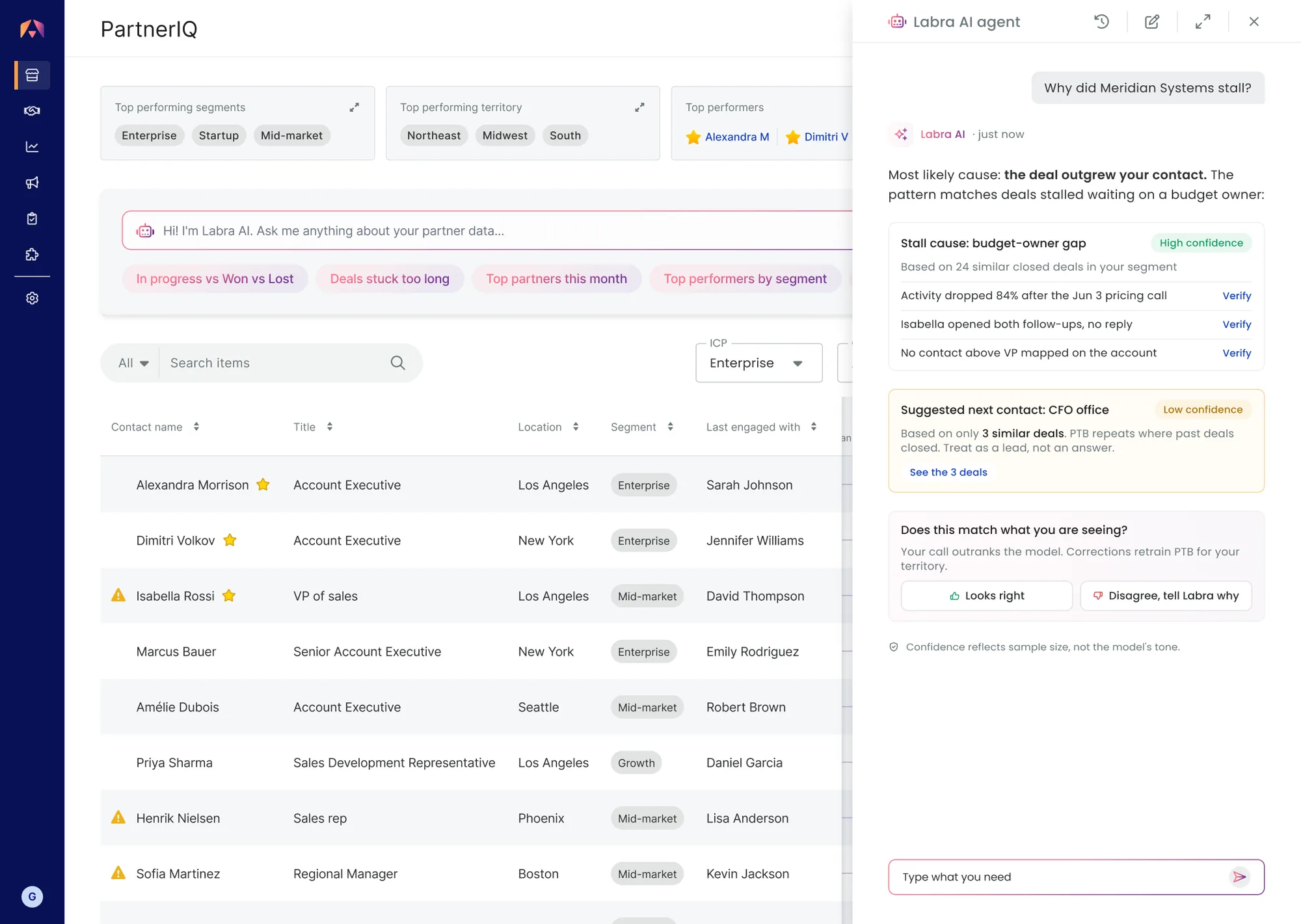
Every evidence line links back to its source record.
High means 24 similar deals. Low means 3. The model never sounds more certain than its data.
PTB repeats where past deals closed. Saying so on the suggestion itself turns a hidden flaw into an informed call.
"Your call outranks the model." Corrections retrain PTB for the rep's territory.
ISV AEs went from coordinating co-sell through CRM, spreadsheets and dinner conversations to a system that surfaced partner intelligence before they knew to look for it.
Applying AI to the co-sell motion was largely unexplored territory. The product launched at AWS re:Invent and the AI layer drew the strongest response from partners and reps on the floor.
The AI layer was the most-praised part of PartnerIQ at re:Invent. It was also the part I'd build differently today. It worked. It scored, summarised, flagged, and answered questions in plain language. But shipping AI is not the same as shipping a complete AI product, and I see the distance between them now.
PTB learns from where past deals closed, not where the real opportunity might be. A rep following PTB blindly reinforces past patterns instead of testing new ground. No override, no feedback loop in v1.
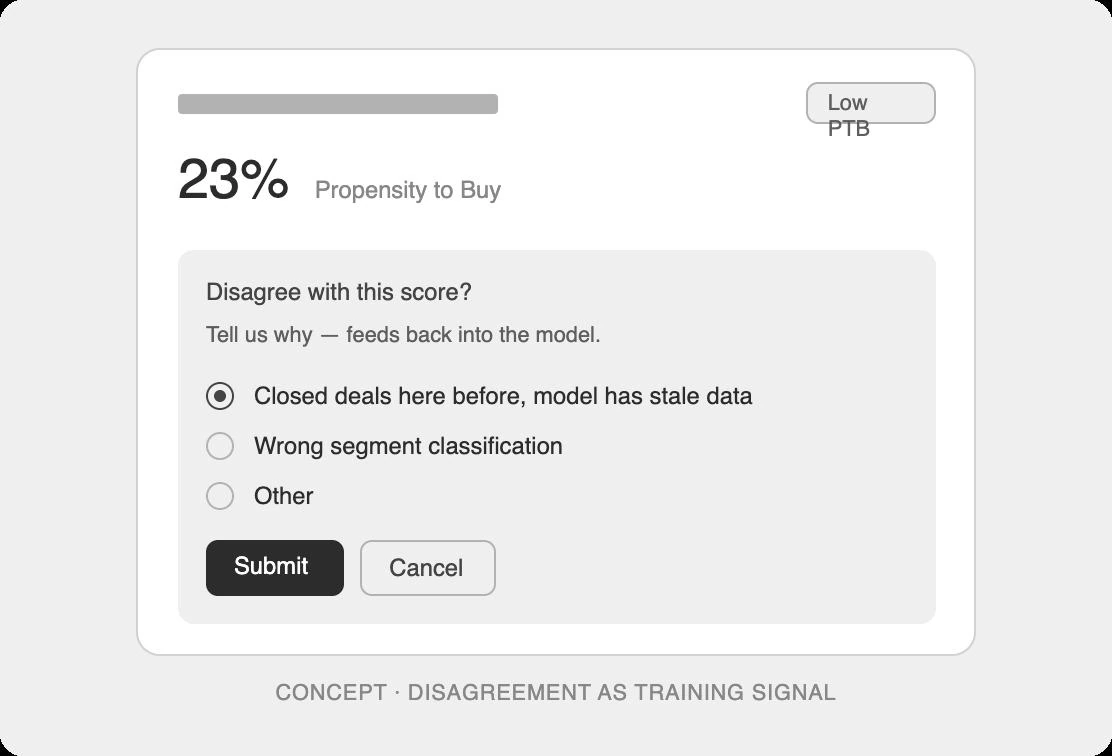
Treat AI like a system that's confident and sometimes wrong. Make verification one click away. Use disagreement as training signal. Audit the training data before deciding what to surface.
The response at re:Invent was real. The work I'd take on next is closing the gap.